
Free download · Govern delivery
Enterprise RAID Log Workbook for Consulting Agencies and PMO Teams
A RAID log becomes useful when it behaves like a governed control surface, not a note-taking grid. This workbook is designed for PMOs and delivery teams that need executive-ready visibility into risks, issues, actions, and dependencies with clean hierarchy, fast filtering, and a format that can scale beyond one project team.
Free download — no sign-up required.
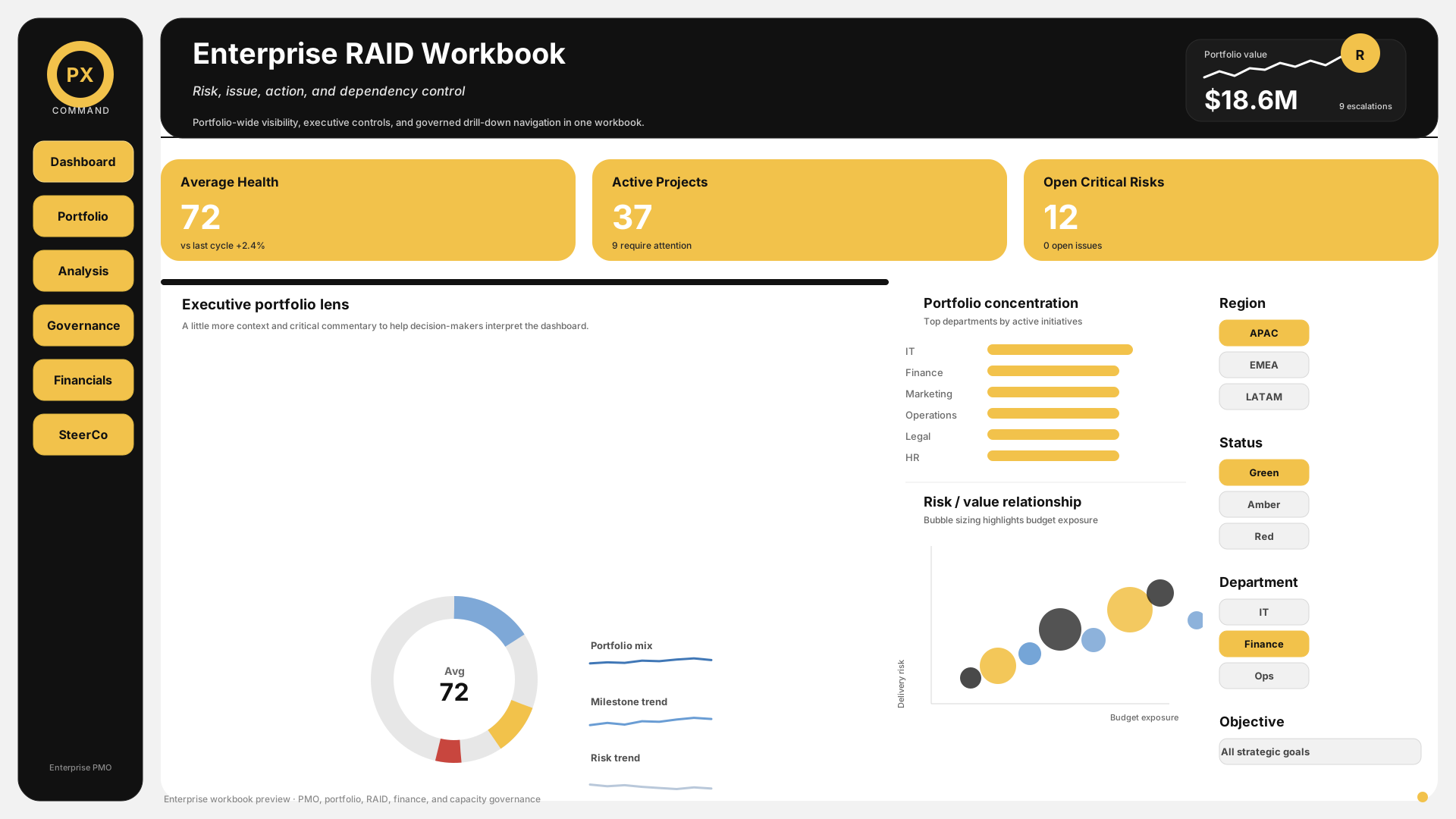
RAID Summary
Executive overview of open items, aging, and escalation signals.
Risks
Risk register with scoring, owner, mitigation, and aging.
Issues
Issue tracker with priority, status, and decision requirements.
Actions
Action log with owners, due dates, and overdue control.
What this template includes
- Executive summary dashboard with open-item counts, aging, and escalation signals
- Separate managed tabs for risks, issues, actions, and dependencies
- Unique ID, owner, status, and due date fields on every log
- Probability and impact scoring for risks with RAG-ready formatting
- Priority and severity controls for issues with dropdown validation
- Dependency mapping with upstream/downstream relationships
- Aging logic for overdue and critical items
- Steering committee-ready summary views for quick review
- Workbook structure designed to scale across multiple workstreams
Workbook architecture
RAID Summary
Executive overview of open items, aging, and escalation signals.
Risks
Risk register with scoring, owner, mitigation, and aging.
Issues
Issue tracker with priority, status, and decision requirements.
Actions
Action log with owners, due dates, and overdue control.
Dependencies
Cross-workstream dependency and handoff tracking.
When to use it
- From project initiation through closure when governance needs to stay visible and current
- During weekly delivery reviews to update open risks, issues, and actions
- In steering committee meetings where executives need concise escalation signals
- When a portfolio has multiple interdependent workstreams and handoffs
- When auditability matters and a log must remain readable after the meeting is over
How to use it
- 1Start with the summary dashboard so the team has a shared view of what is open, what is overdue, and what is most likely to escalate.
- 2Assign an owner and next action to every item. A log with no owner will drift immediately.
- 3Review risks, issues, actions, and dependencies on a weekly cadence, then close or reclassify items formally.
- 4Use probability and impact scoring to determine which risks need escalation and which can be monitored.
- 5Use the steering committee view to show patterns, not raw detail. Keep the meeting focused on decisions and approvals.
- 6Retain closed items for auditability and lessons learned instead of deleting them.
Example in practice
A consulting agency running a digital transformation program uses this RAID workbook across three workstreams. The summary tab shows 14 open risks, 6 issues, 11 actions, and 9 dependencies. The top three risks are automatically flagged for steering committee review because their combined score and aging are above threshold. The issues sheet shows one client decision waiting for approval and two actions overdue by more than 10 days. Because the workbook uses a governed structure, the PMO can walk into the weekly review with one file instead of three disconnected logs.
Common mistakes to avoid
- Letting the log turn into a static archive instead of a weekly control tool
- Leaving items unowned or missing dates, which makes follow-through impossible
- Mixing risks and issues without separate handling rules
- Skipping probability and impact scoring, which removes prioritization discipline
- Using too much narrative and not enough structure, which makes committee review slow
Frequently asked questions
What does RAID stand for?
Risks, Assumptions, Issues, and Dependencies. Some teams add Decisions (RAIDD) or replace Assumptions with Actions (RAID-A). The core four are the most widely used in consulting and PMO environments.
How often should I update the RAID log?
Weekly at minimum. Many delivery teams update it continuously as items arise and review it formally in their weekly project meeting. For fast-moving IT projects, daily updates on critical items are common.
Should I use one RAID log per project or one for the whole program?
One per project, with a consolidated program-level view for items that affect multiple workstreams or need escalation to the steering committee. The program view should pull from project-level logs, not replace them.
What is the difference between a RAID log and a risk register?
A risk register tracks only risks. A RAID log tracks risks plus assumptions, issues, and dependencies in one place. For most consulting and delivery teams, the RAID log is more practical because these four categories are interconnected — an assumption that proves wrong often becomes a risk or an issue.
What is the difference between a risk and an issue?
A risk may happen in the future. An issue has already happened and needs action now.
How do I run a RAID log review in a weekly project meeting?
Allocate 10-15 minutes. Start with new items raised since last week. Then review open items by priority — update statuses, reassign owners if needed, and close resolved items. End with the summary dashboard to confirm overall trend direction. Do not read every line item; focus on changes and escalations.
Can I use this RAID log template for IT projects?
Yes. The template includes fields for technical dependencies, vendor-related risks, and integration issues that are common in IT delivery. The dependency tab is particularly useful for tracking API handoffs, environment availability, and third-party delivery dates.
Turn this template into a live workspace
Turn a static RAID log into a governed delivery control surface. Use Praxiox to capture risks, issues, actions, and dependencies once, then surface them in live dashboards that PMs and executives can trust.
No credit card. Cancel anytime.